Hardware Necromancy - Reviving an old smartphone to serve Ollama


If it looks stupid but it works, it isn't stupid.
Just because something looks odd or seem to be a bad idea, it doesn't mean it really is. Especially in times where GPUs and other computer parts get more expensive every day, sometimes we need to try out weird things to find value.
I really like the idea of smaller and more specialized LLMs doing really specific work. On-point-tailored LLM training can even surpass bigger commercial models in performance/efficiency sensitive tasks (list at the bottom). In the end, when using LLMs for company-specific tasks, it may always end with fine-tuned smaller models that do a task at much less cost than a SOTA model. Bleeding edge or when behind sensitive firewalls/disconnected from the internet, small local LLMs come in handy.
That said, let's take a look at the topic:
Make the phone smart again:
My goal was to give my old smartphone (a Samsung Galaxy S10) a new purpose in life. Not to only bring butter (Rick and Morty joke, for potential non-nerds reading this), but to really bring back value it once had. There is probably no better way than to install Linux and let the old hardware become blazingly fast as it was the first day after buying.
Installing a distribution of Linux on smartphones is not an impossible task, but surely an exhausting. So this was not an option. Rather trying to install custom ROMs until becoming completely mental, I chose Termux. Termux is an app available on e.g. Android, that enables terminal usage by emulating a linux distribution on a smartphone. Package manager included (pkg). But you can't find a current version on the Playstore - so what to do now?
This is where "F-Droid" comes in - it is a secondary marketplace for Android apps that is are bound to Google's gigantic market power (a little but I'll spare you the details here). To use it, one has to enable the installation from other sources, download the apk-file from the original website (I can not press enough how important this is) and search it there. Once installed, open it and search for termux:
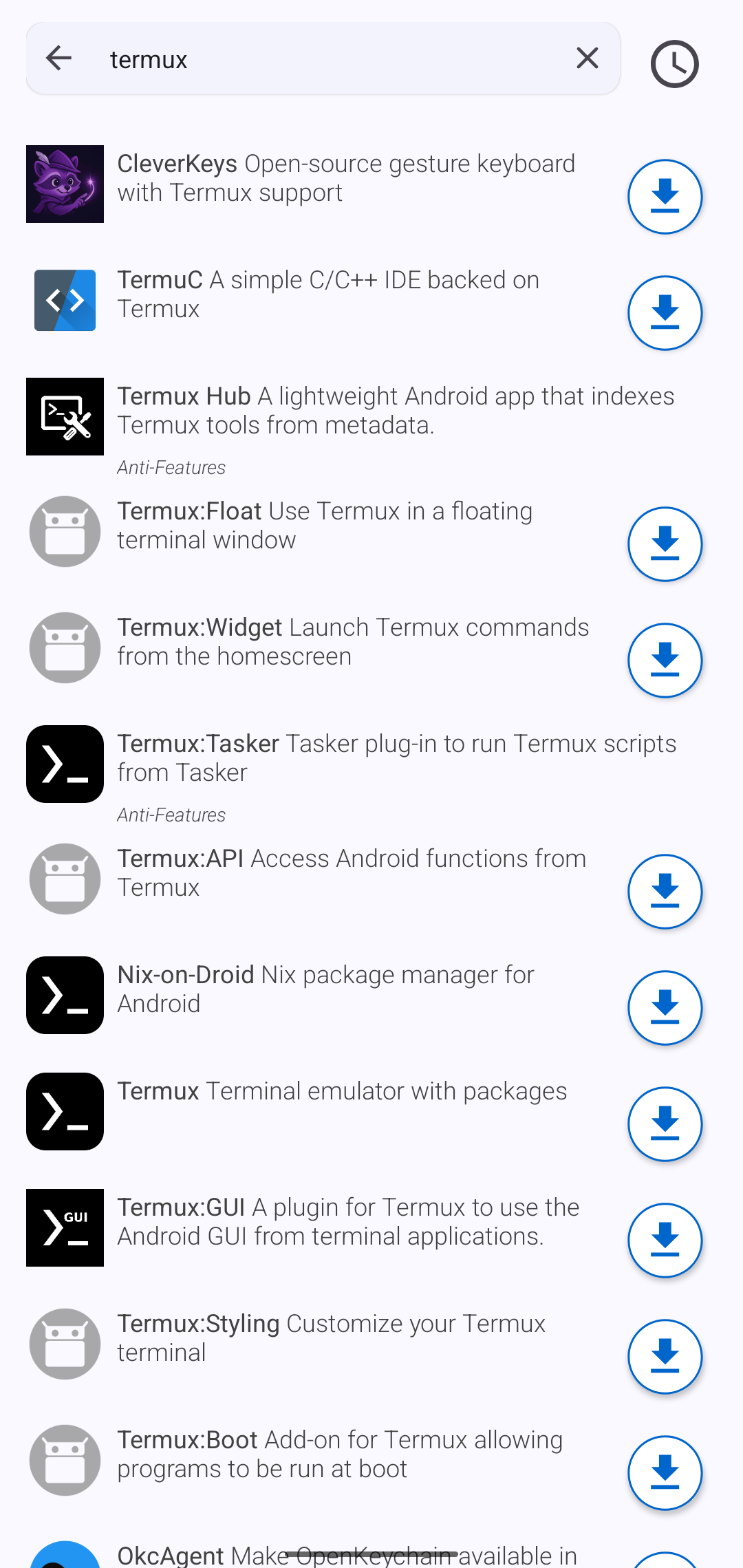
You will find it under it's distinct name. Click on it and check if the creator of this app is the contributor to Termux:
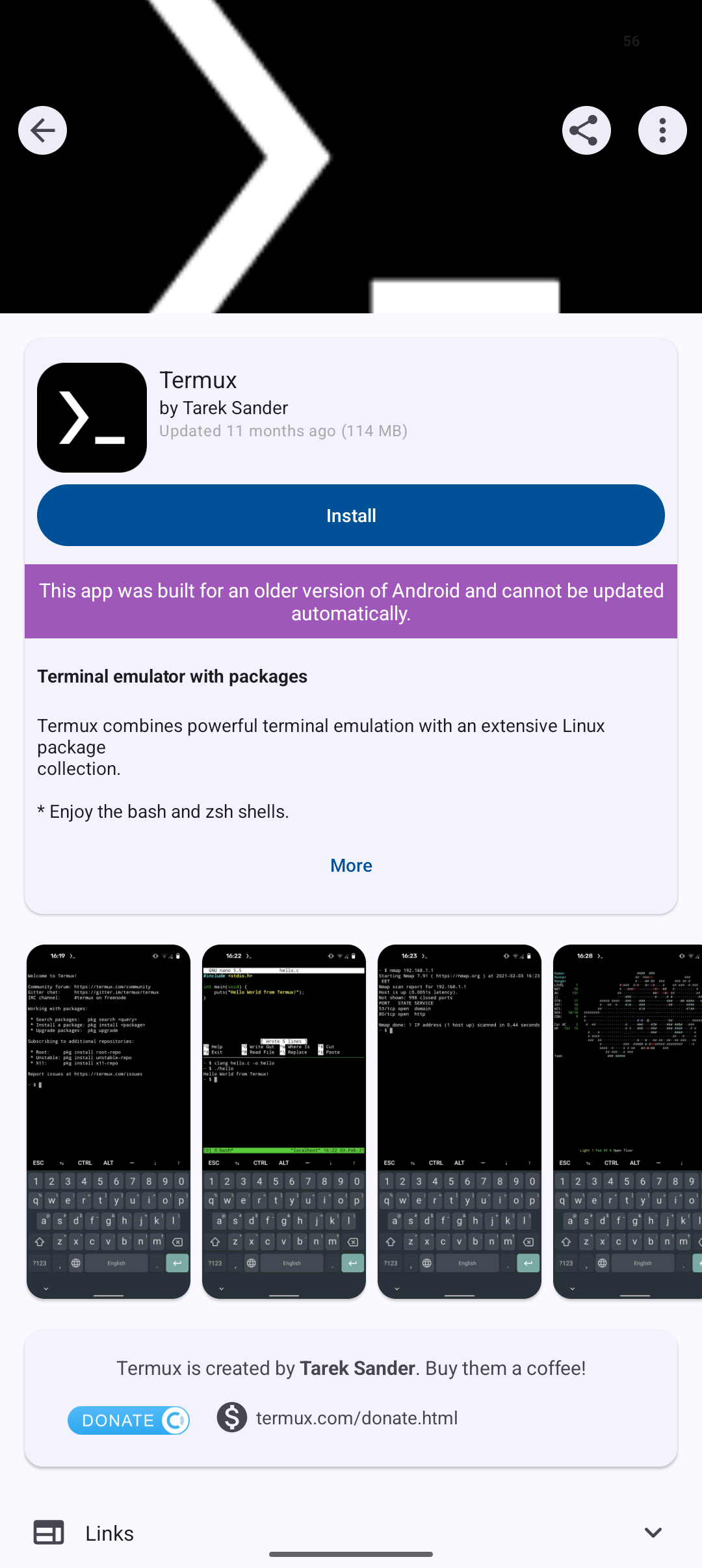
This is created by Tarek Sander, so it's trustworthy. Install it (you may need to permit the installation source again) and run it like a normal app.
When the app is opened, you can start using it like a real Linux distribution:
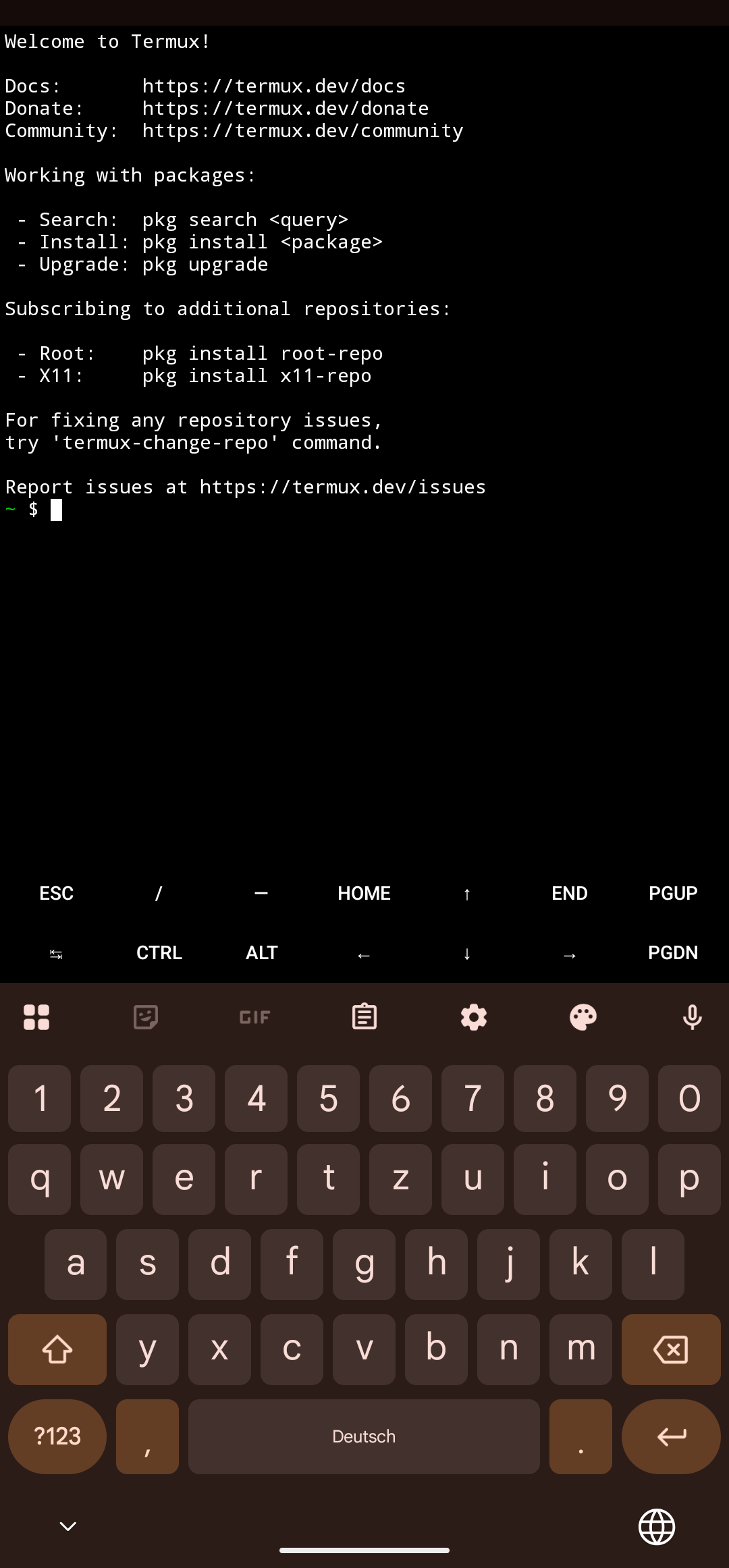
I personally wanted to use SSH to dial into it while being on my home network. So I installed openssh:

Use passwd to change your password to something safe (and I mean safe). After the installation & setup has finished, you can connect to it from another machine with an SSH client of your choice. Check your IP adress by typing in ifconfig and use that to connect to it. I chose MRemoteNG as it is my usual goto for handling multiple SSH-sessions. In my network, my smartphone has the IP adress 192.168.178.20, and I log in with the username root because it's the standard user for Termux:
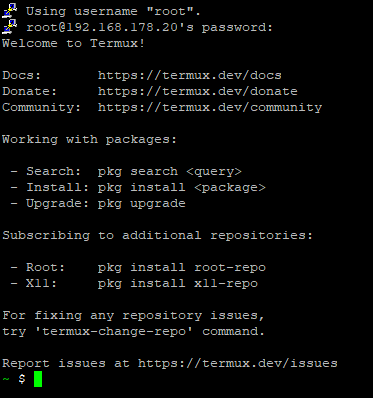
From here, we can install Ollama to serve models. You can do this either on the Termux app or in the SSH session on your second device:
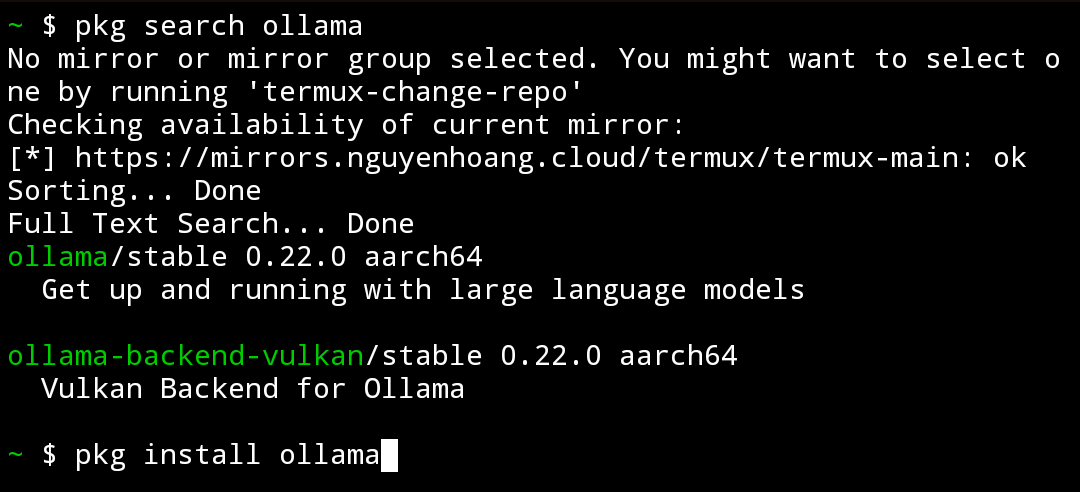
This command will download the package and install it (ignore the visible error in the prior screenshot, it is due to not updating before installing it).
Once finished, you can write the command ollama serve and see as magic unfolds. You can check if it works by writing Ollama as a command and read the output:

You can now pull a small model, depending on your RAM. My old smartphone has 8 GB and only 3.7 GB of it are actually usable, so I need a model that fits into roughly 3 GB to still cover some overhead.
granite4.1:3b seems to be an adequate model to try. Pull it with the ollama pull granite4.1:3b command and wait until Ollama downloaded the official model. To start chatting with the model, simply wait until the model has been loaded into the RAM and type your prompt:

Let's look at the outcome:
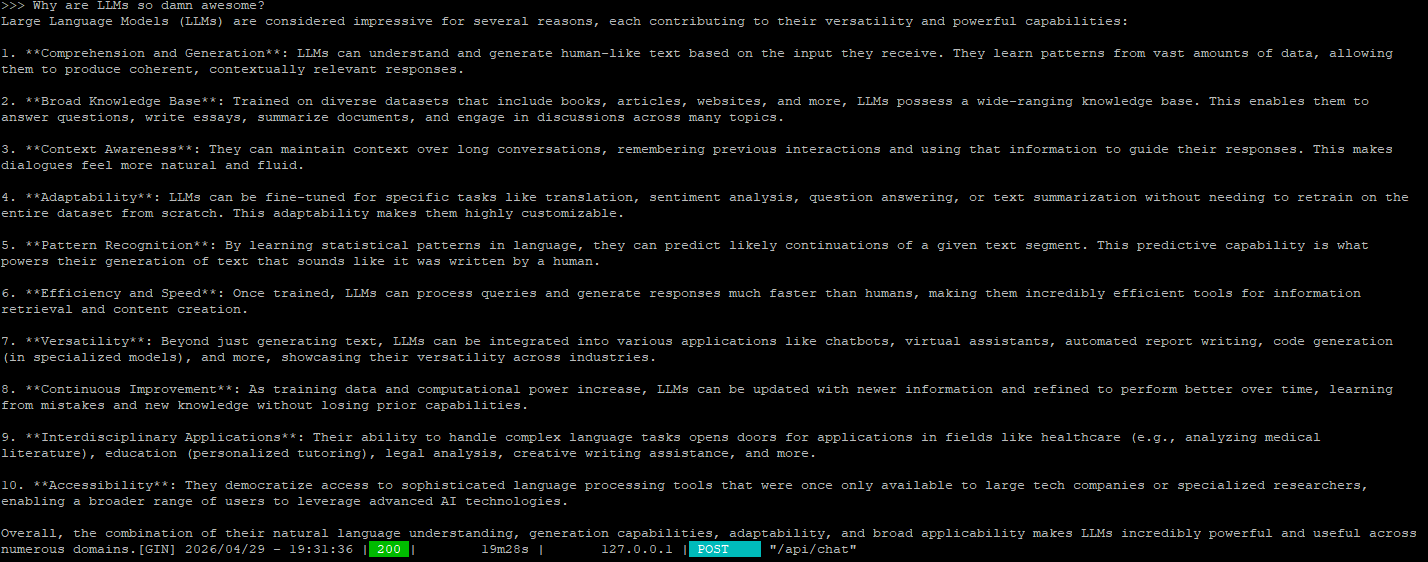
The model responded and took almost 20 minutes for a dense 3 billion parameter model that was trained on roughly 15 trillion tokens. It was created for "native support multilingual capabilities, a wide range of coding tasks, retrieval-augmented generation (RAG), tool usage, and structured JSON output", just to cite the original repository with it's description.
Conclusion:
While it is fun to try these little experiments, the greater purpose is to learn something new, not to build production ready environments. There are much more powerful edge devices like NVIDIA Jetson family or a simple Raspberry Pi with an AI-HAT that can run smaller models much faster, but seeing it is possible on a now more than 7 year old device like my Samsung Galaxy S10 that it was not meant to run on is quite astonishing.
There is very likely a lot more potential performance hidden behind other models, some settings or simply choosing another software with less overhead to serve the models. But still, it is technically usable for tasks that are not time-sensitive.
Honestly, this is a fairly easy task and you don't need to use an old phone. You can use your current Android phone as well and let Ollama serve your models on there. But keep in mind, serving LLMs is pulling vast amounts of power and can harm your device, especially if it's disconnected from a power-source. Do yourself a favor and use an old one to not force battery degradation...
Some Sources:
Task-Specific Efficiency Analysis: When Small Language Models Outperform Large Language Models
Small Language Models (SLMs) Can Still Pack a Punch: A survey
Small Language Models are the Future of Agentic AI


